Account
Manage your sign-in email and, if you ever need to, permanently delete your account and all its data.
What This Does
The Account tab holds the two settings tied to your login itself: the email address you sign in with, and the option to permanently delete your account. Everything about how you appear (your name, firm, timezone) lives on the Profile tab — this tab is about the account underneath.
Video Walkthrough
What You’ll Find Here
Email address
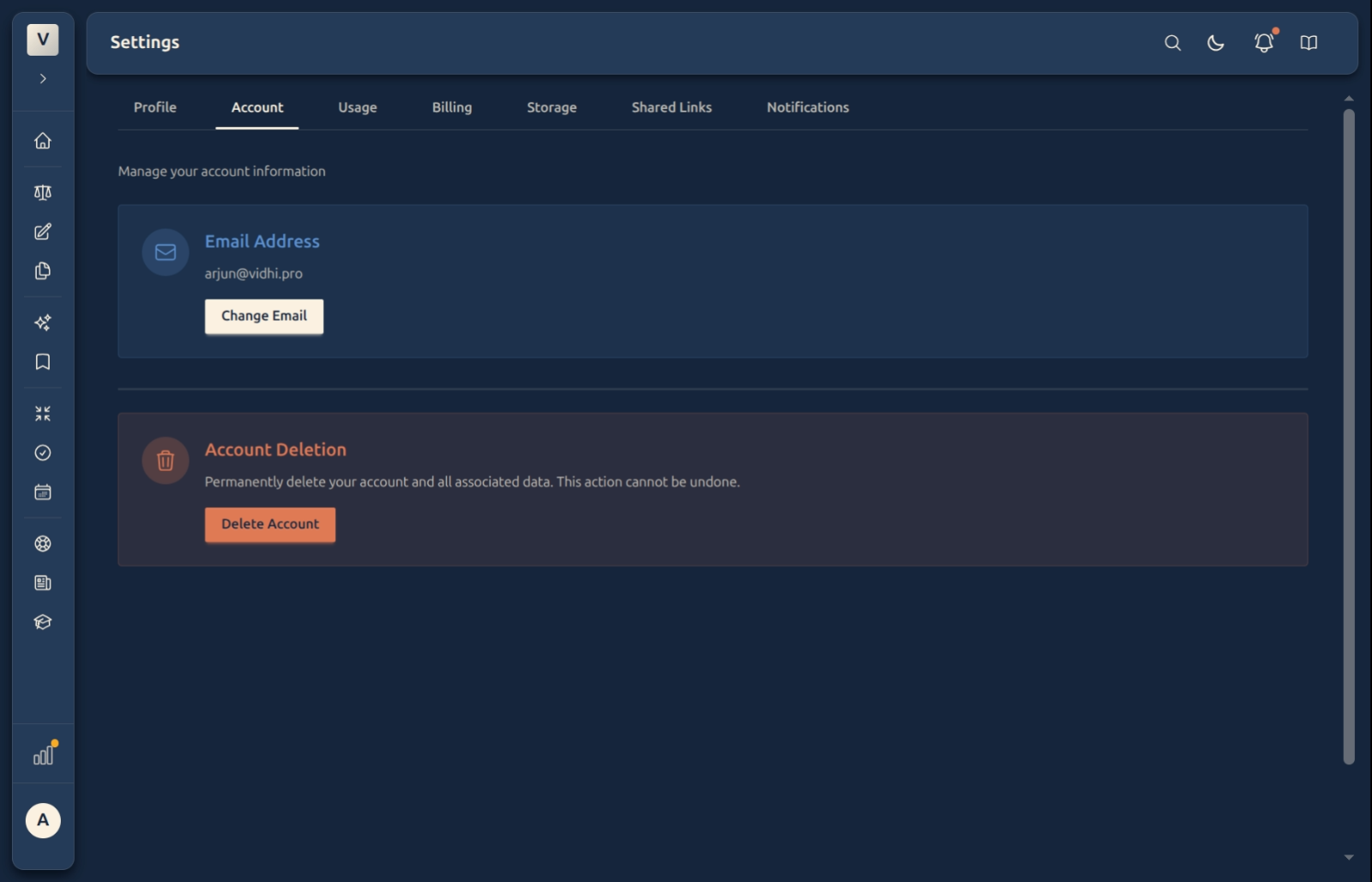
The top card shows the email you currently sign in with, and a Change Email button. Changing it is a verified, two-step process — you enter the new address and confirm it from your inbox before it takes effect, so no one can move your login without access to the mailbox. For the full walkthrough, see Changing your email.
Account deletion
The Account Deletion card lets you permanently delete your account and all associated data. This is deliberately separate and clearly marked, because it cannot be undone — deleting removes your cases, documents, drafts, summaries, and everything else tied to the account. If Meera only wants to stop paying, she should cancel on the Billing tab instead; cancelling keeps her data, deleting does not.
Good to know
💡 Tip: Changing your email here changes the address you sign in with — so use the inbox you actually check. The confirmation link is what activates the change.
Note: Cancel and Delete are not the same. Cancelling (on Billing) stops future charges but keeps your account and data; deleting (here) erases everything for good.
✅ Deletion is final. There’s no trash can or grace period for a deleted account — once confirmed, the data is gone. Export anything you want to keep first.
FAQ
How do I change the email I sign in with?
Click Change Email, enter the new address, and confirm it from the link sent to that inbox. It only switches over once confirmed. Full steps are in Changing your email.
I just want to stop paying — should I delete my account?
No. Use Cancel subscription on the Billing tab — that stops the next charge but keeps your account and all your work. Deleting is only for when Arjun wants to remove everything permanently.
What exactly gets removed when I delete?
Everything tied to the account — cases, documents, drafts, summaries, todos, and calendar entries. It cannot be recovered, so export anything important beforehand.
Why does changing my email take two steps?
For security. Confirming from the new mailbox proves it’s really yours, so a login email can’t be changed by someone who only has your screen.
See Also
- Changing your email — the step-by-step email-change flow.
- Profile — your name, firm name, and timezone.
- Billing & Subscription — cancel without deleting your data.