Billing & Subscription
See your current plan and renewal date, find your invoices, compare plans, or cancel — all in one place.
What This Does
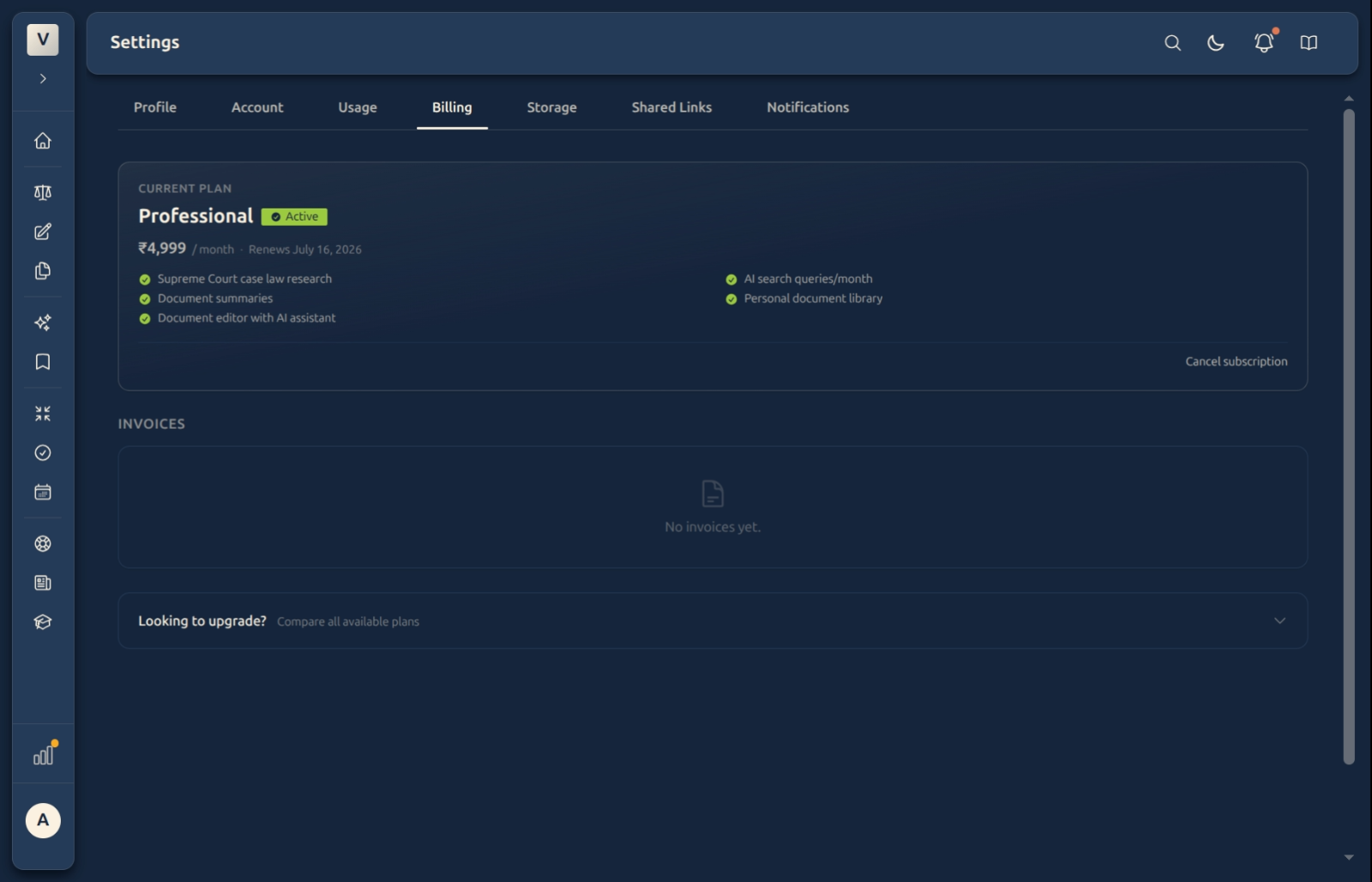
The Billing tab is where you manage your subscription. A Current plan card at the top shows which plan you’re on, its price, and when it next renews, along with the features it includes. Below sits your invoices list, and a Compare all plans panel for when you’re thinking about upgrading.
Video Walkthrough
What You’ll Find Here
Your current plan
The Current plan card names your plan — for example, Professional — with an Active badge, the price per month, the renews-on date, and a tick-list of what’s included: case-law research, document summaries, the AI editor, your document library, and your monthly AI search allowance. It’s the one place to confirm, at a glance, exactly what you’re paying for.
Invoices
Every payment produces an invoice you can open or download for your records and your accountant. When you’ve just started, this section reads “No invoices yet” — it fills in automatically as you’re billed.
Comparing and changing plans
The Looking to upgrade? Compare all plans panel lays the tiers side by side, so Aditi can see exactly what each one adds before she switches. An upgrade takes effect immediately — your new limits apply straight away.
Cancelling
Cancel subscription opens a short, guided flow: it asks why you’re leaving, may show you an option to stay, and then confirms. Cancelling isn’t instant shut-off — your plan stays active until the end of the period you’ve already paid for, and your data stays exactly where it is.
Good to know
💡 Tip: Keep Billing and Usage side by side in your mind — they’re adjacent tabs on purpose. Billing tells you what you pay; Usage shows what you’ve consumed this period, so Rahul can judge whether his plan still fits.
Note: Your allowances reset to zero at the start of each billing period — they don’t carry forward to the next. So there’s no benefit to “saving up” unused capacity; each period starts fresh.
✅ Cancelling ≠ deleting. Cancelling stops the next charge but keeps your access until the paid period ends. To remove your account and data entirely, that’s a separate action on the Account tab.
FAQ
Which plan am I on, and what does it include?
The Current plan card shows your plan name, price, renewal date, and a tick-list of included features. Priya can read off exactly what’s covered without leaving the page.
When am I charged?
On your renewal date — shown right under the plan name (for example, “Renews July 16, 2026”). Billing recurs each period from there.
Where do I find my invoices?
In the Invoices section on this tab. Each payment adds one you can open or download. A new account shows “No invoices yet” until the first charge.
What happens if I cancel?
You keep full access until the end of the period you’ve already paid for; only the next renewal is stopped. Your cases, documents, and drafts remain untouched. Vikram can re-subscribe later without losing anything.
Can I upgrade or change plans?
Yes — open Compare all plans to see the tiers side by side and switch. Upgrades apply immediately.
See Also
- Usage & AI Activity — what you’ve consumed this period.
- Account — change your email or delete your account.