Profile Settings
Manage your personal information, display name, and firm details all from one tab.
What This Does
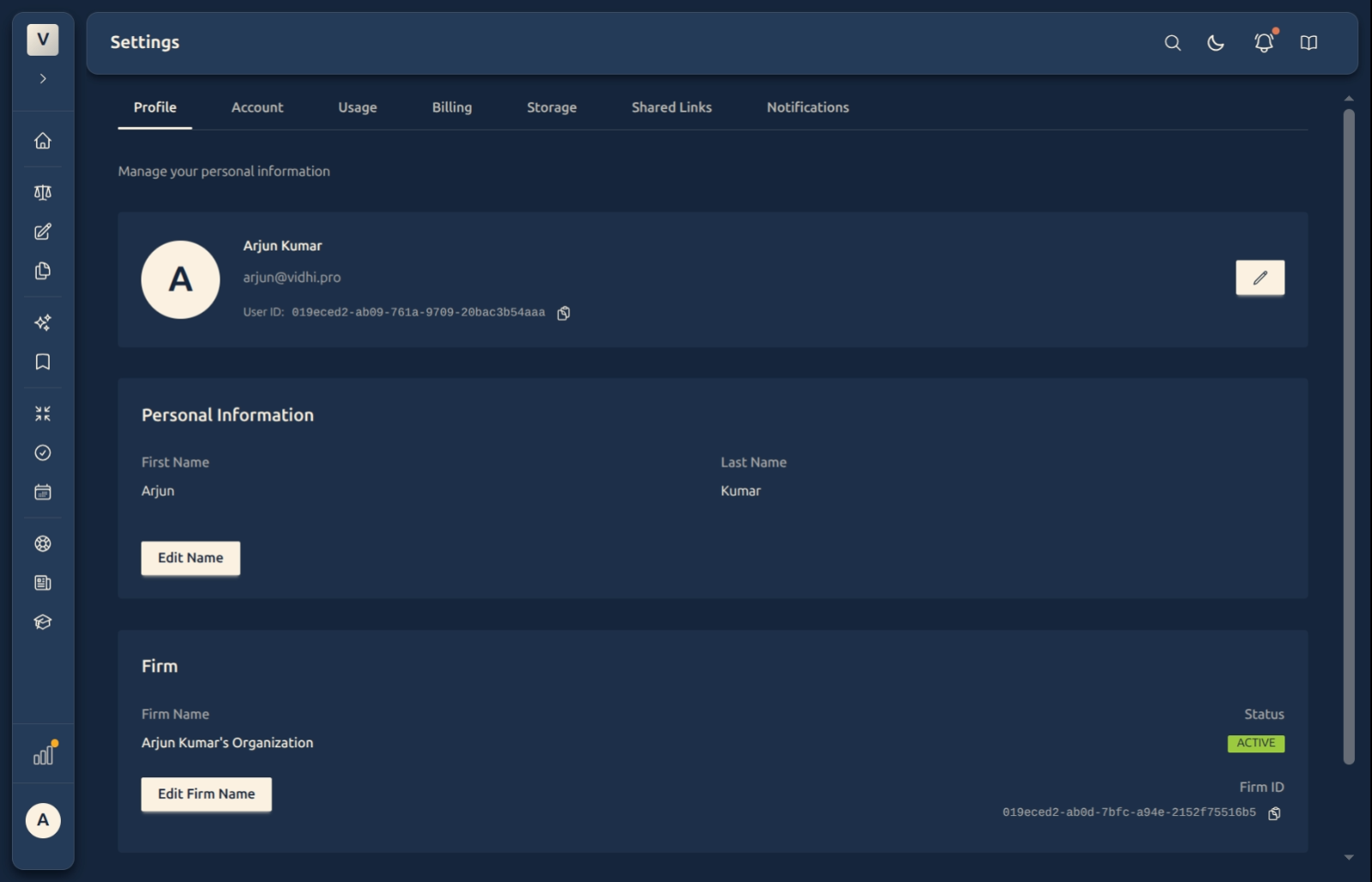
The Profile tab is where you manage how your account appears across the platform. You can update your first and last name, edit your firm name, and find your User ID and Firm ID. All changes take effect immediately — no reload needed.
Video Walkthrough
What You’ll Find Here
The Profile tab has three sections:
Account Card
At the top of the tab, your account card shows your avatar, display name, and email address. From here you can:
- Click Edit email to go to the Account tab where email changes happen (see Change Your Email Address)
- Click Copy User ID to copy your unique account identifier — useful when raising a support ticket
Personal Information
Shows your current first and last name. Click Edit Name to update them. A confirmation dialog lets you review the change before it saves. See Update Your Name for step-by-step instructions.
Firm
Shows the name of your firm or chambers, its status, and the Firm ID. Click Edit Firm Name to change what appears here. See Update Your Firm Name for step-by-step instructions.
FAQ
Do I need to fill in a firm name?
No. The firm name is optional. If your practice is solo or you haven’t set one yet, the field shows a placeholder. You can add or change it any time.
What is the User ID used for?
The User ID is a unique identifier for your account. You will rarely need it day-to-day — it’s most useful when contacting support so the team can locate your account precisely. Examples: Adv. Priya Sharma’s account might have ID 019e..., Adv. Arjun Mehta’s might have a different one. Both IDs are completely independent.
Why does the email show here but change on the Account tab?
The Profile tab is for your name and firm — things you might update regularly. Email changes involve a verification step to keep your account secure, so that flow lives on the Account tab where the extra confirmation fits naturally.
Can my firm name be the same as another user’s?
Yes. Firm names are display labels, not unique identifiers. All advocates at the same chambers — for example, “Sharma & Associates” — can each set the same firm name independently.
What is the Firm ID?
The Firm ID identifies the organisation record linked to your account. Like the User ID, it’s primarily useful for support requests or integrations. You can copy it with the Copy button next to it.