Notifications
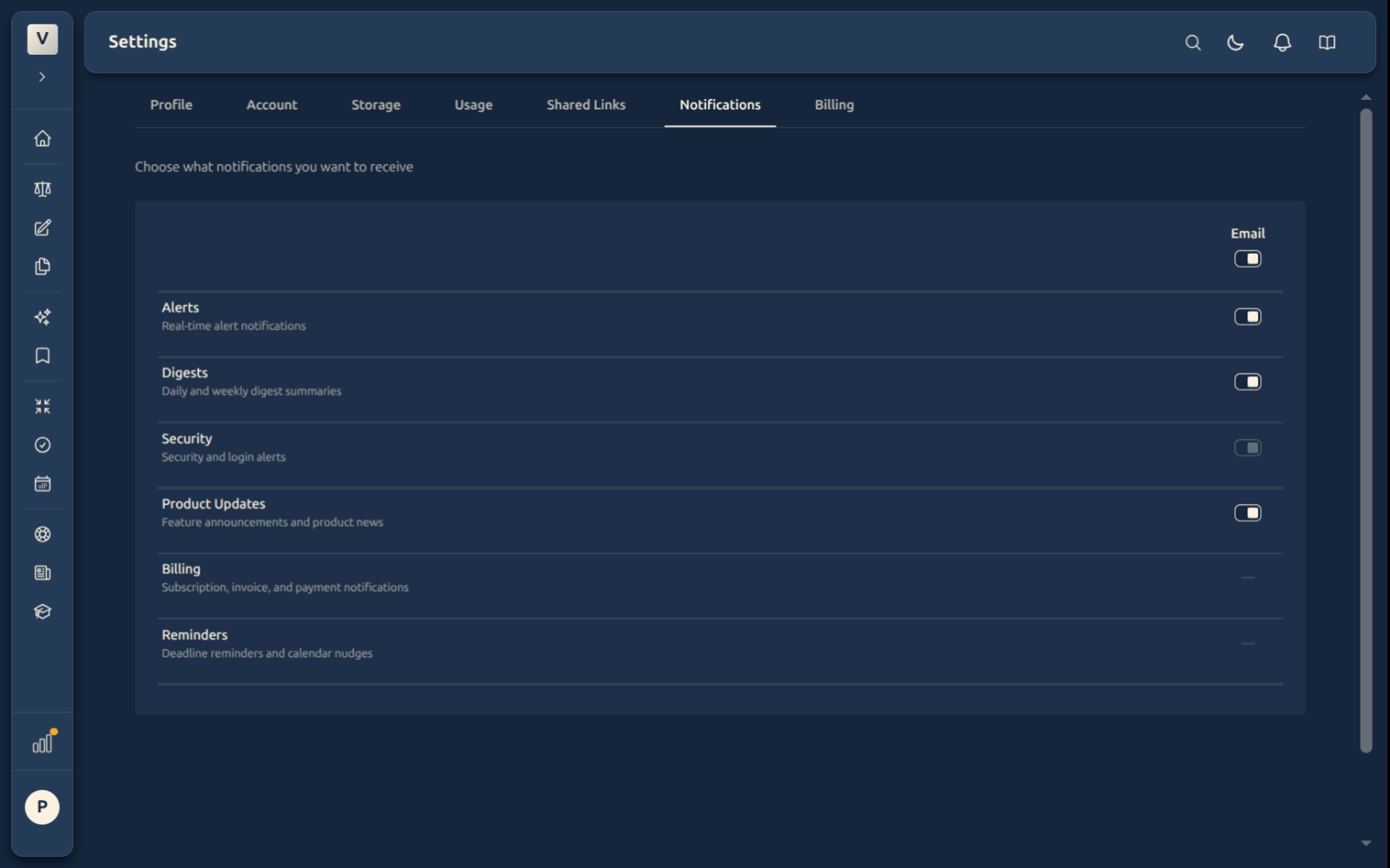
Choose which emails you want to receive — alerts, digests, security, and product updates. Security mail is always on. We always send a confirmation email when you change these settings.
What This Does
The Notifications tab is your inbox filter. You decide which categories of email we send you and which ones we hold back. Each toggle applies immediately on Save — the next email that would fall under a muted category simply isn’t sent.
Video Walkthrough
The six categories
The tab shows an Email column listing six categories. Most are kinds of email you can switch on or off; a couple aren’t email preferences and show a dash instead.
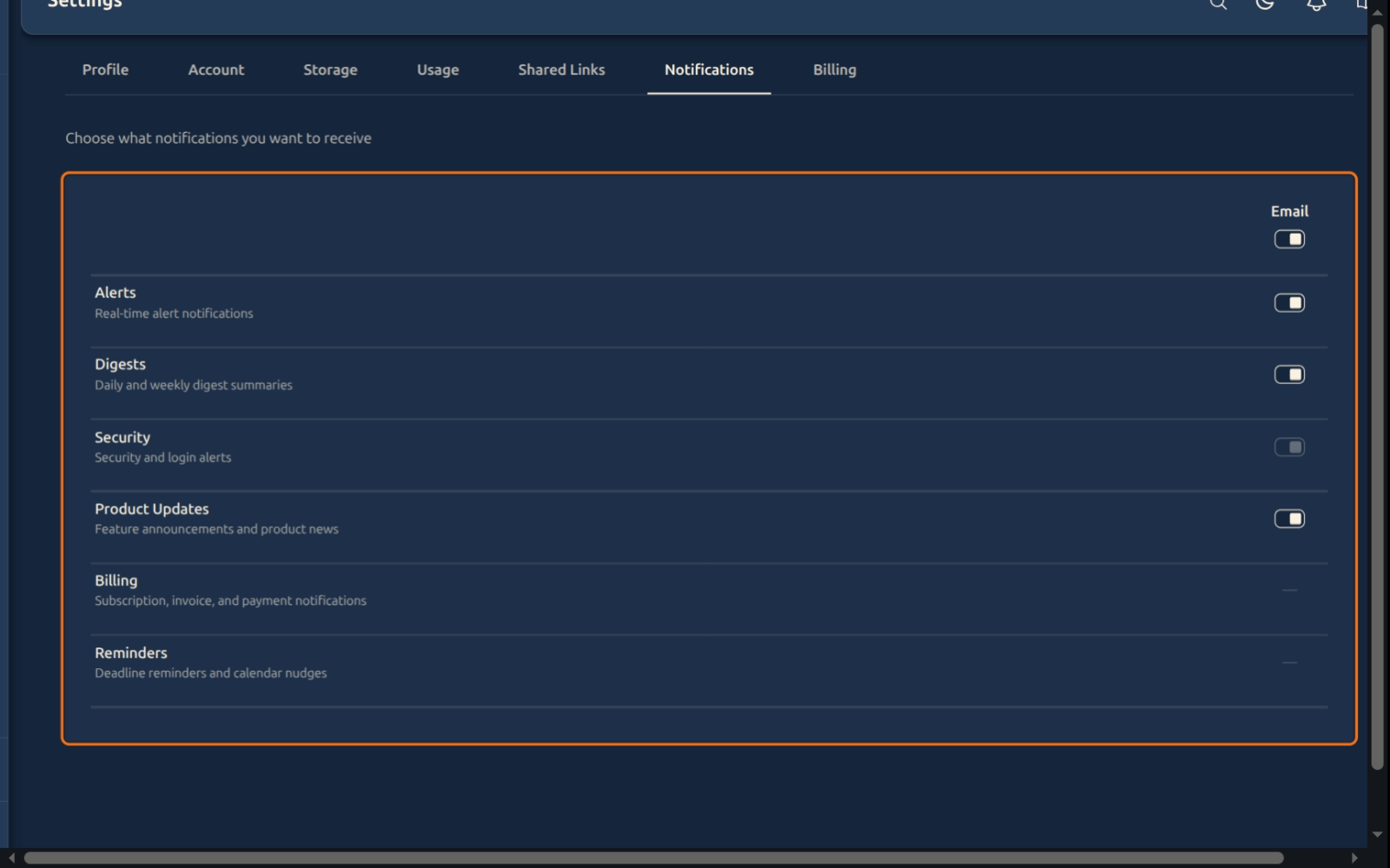
- Alerts — real-time alert notifications. For example, when a long document finishes processing, when a draft you scheduled is sent, or when a shared link of yours hits its access limit.
- Digests — daily and weekly summaries that group activity into one email so we don’t flood your inbox.
- Security — login alerts and important account changes (password updates, email changes, suspicious sign-ins). Always on, cannot be disabled.
- Product Updates — feature announcements, new tools, and major changes to the product. Rare and low-volume.
- Billing — subscription, invoice, and payment notifications. These aren’t email preferences you manage here, so this row shows a dash (
—) in the Email column. - Reminders — deadline reminders and calendar nudges. Like Billing, these aren’t managed from this Email tab, so this row also shows a dash (
—).
Why the dashes?
A dash in the Email column means there’s no email toggle for that row. Security email is locked on — always sent, so you never miss a sign-in alert. Billing and Reminders aren’t email preferences managed here, so they show a dash rather than a toggle. The remaining rows — Alerts, Digests, and Product Updates — have email toggles you can flip at any time.
Security email is always on
Security is the one category you can’t switch off by email — sign-ins from new devices, password and email changes, and suspicious activity are always sent, so you never miss them.
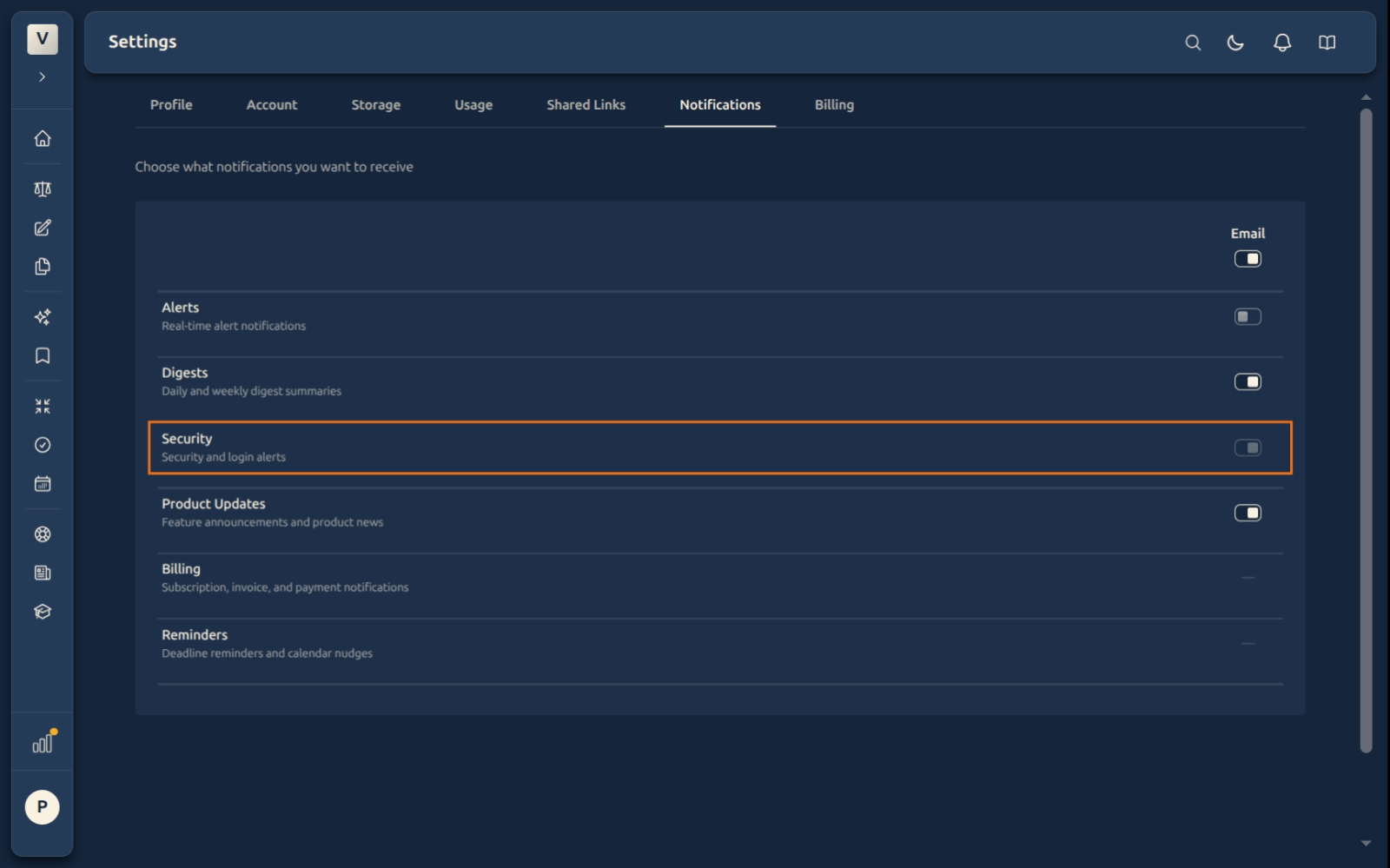
The Security row shows a disabled toggle. Billing and Reminders show a plain dash (—) — they aren’t email preferences you manage on this tab.
If you’d rather Security mail reached a different inbox, change the email address on your account in the Account tab.
Save or discard
Toggles are staged in the browser until you click Save. While there are unsaved changes, a yellow banner appears at the bottom of the page:
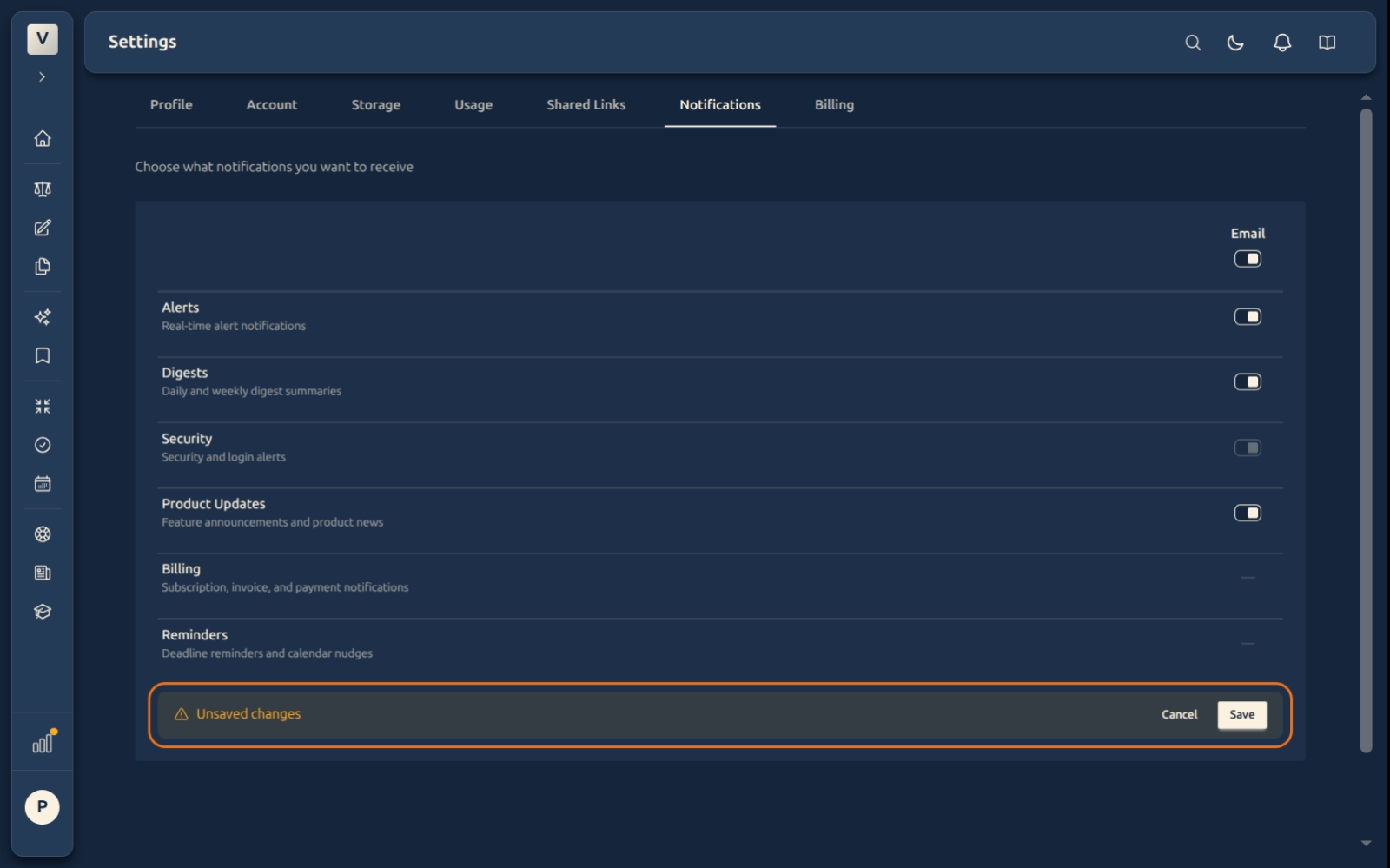
- Save — applies every staged change and sends you a confirmation email.
- Cancel — reverts every staged change.
- Navigating away without saving also discards your changes.
What the confirmation email looks like
After you Save, we send you a short email so you have a paper trail of what changed. It lists the categories that were enabled or disabled with the exact time of the change. If the change wasn’t you, the email tells you how to reach support.
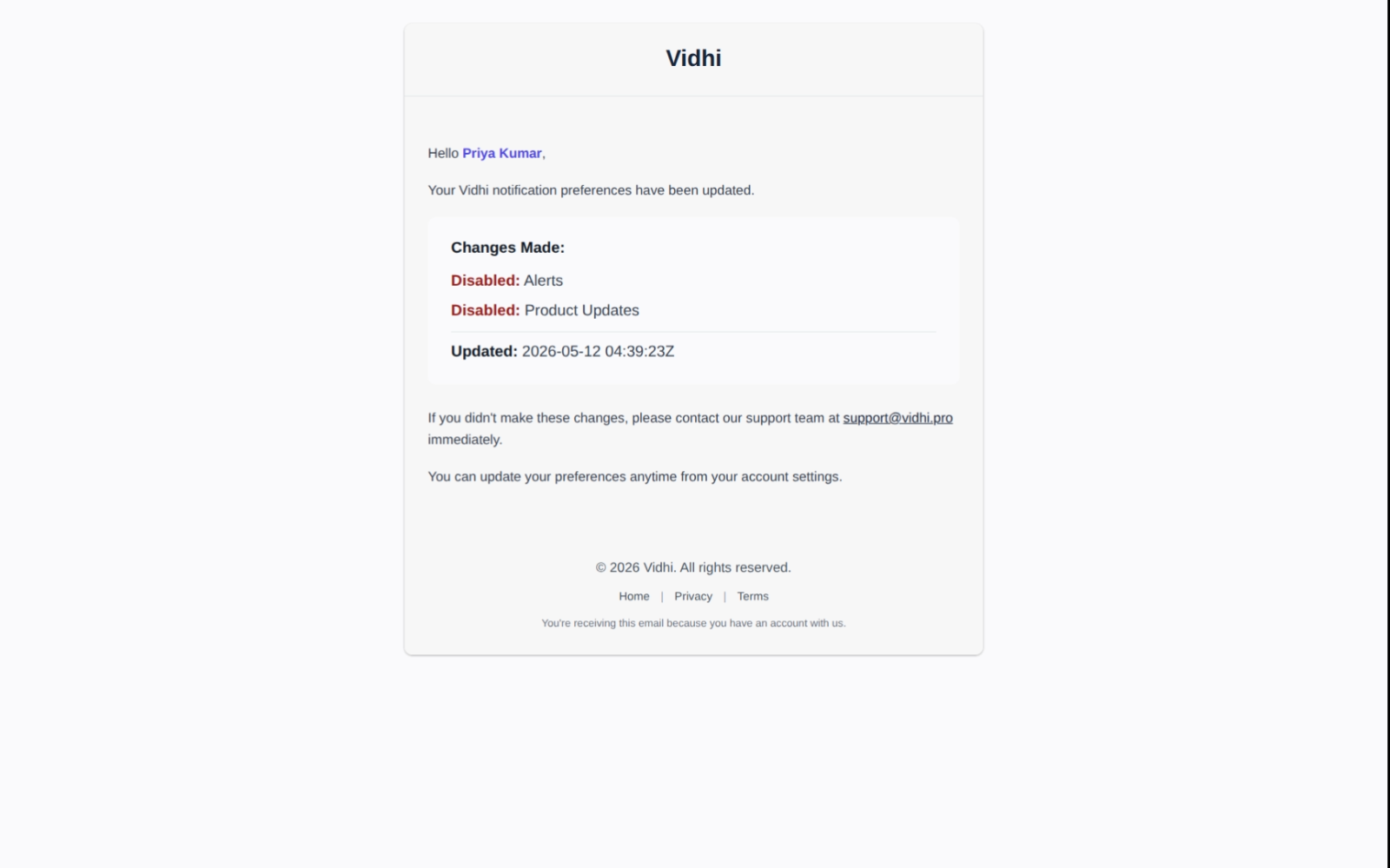
This means: even if you turn OFF every category we possibly can turn off, you’ll still receive one final email (this one) confirming the change. Security mail also continues regardless.
FAQ
If I turn off Alerts, will I miss important things?
Probably not the very important ones — those tend to fall under Security and stay on. Alerts here are operational: “your transcription finished”, “your scheduled draft was sent”. If you don’t want those by email you can mute them and check the app instead.
Can I un-mute Security email?
Security email is always on by design — the toggle is shown but disabled, so you never miss a sign-in alert or account change. To change where it goes, update the email address in Account → Change Email. Billing and Reminders aren’t email toggles on this tab.
What happens to a category that’s already in-flight when I save?
Emails are batched, so a digest that was already queued may still arrive. Future ones will respect the new setting. In practice, changes take effect immediately for new triggers.
Why are Billing and Reminders dashed out instead of toggled?
Because they aren’t email preferences managed on this tab, so there’s no toggle to show. Security is different: it is an email category, just a locked-on one.
Examples of when you’d open this tab:
- Advocate Priya Sharma is tired of weekly digests during a busy trial week — she mutes Digests and re-enables it after the trial.
- Advocate Arjun Mehta wants product update emails to land in a folder; he leaves Product Updates on and sets up a filter in his email client.
- A senior partner who reviews everyone’s matter logs personally wants only Security mail; she turns the other categories off.
See Also
- Account — change the email address all notifications go to.
- Shared Links — manage individual share links if you’re getting more access alerts than expected.