Dictation — Type by Voice
Speak instead of type — dictate straight into your draft, or talk to the AI assistant by voice.
Summary
Sometimes it’s faster to say it than to type it. Dictation lets you speak and have your words appear as text — useful for a quick paragraph between hearings, for long passages that are tiring to type, or simply because talking is quicker than the keyboard.
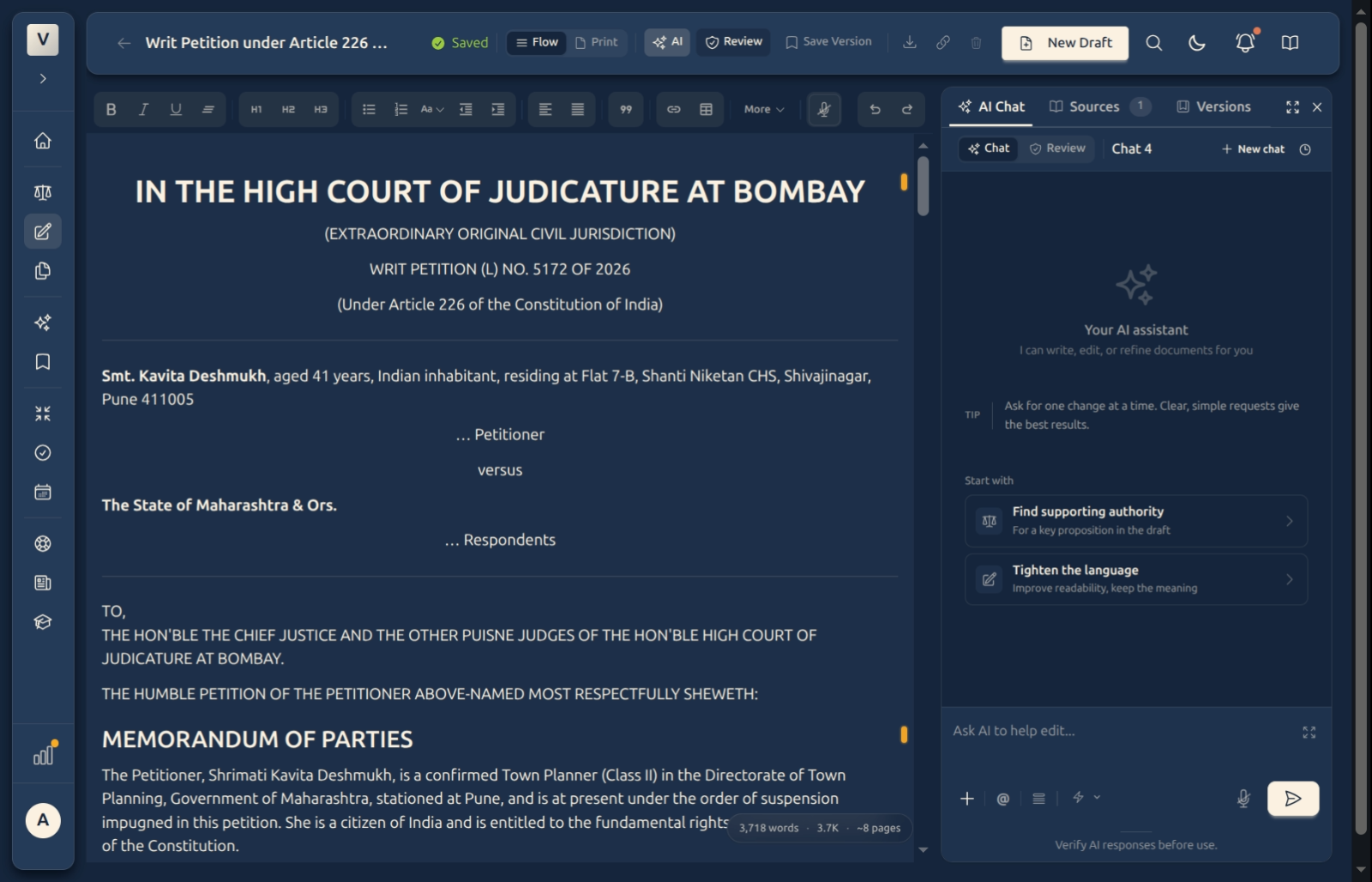
You’ll find the microphone in two places: in the editor toolbar, to dictate straight into your document, and in the AI assistant’s composer, to talk to the assistant by voice instead of typing your request.
Video Walkthrough
How to use it (step by step)
-
Find the microphone — There’s one in the editor toolbar (dictates into the document at your cursor) and one in the assistant’s composer at the bottom of the chat panel (dictates your message to the AI).
-
Start speaking — Click the microphone once. It turns red while it’s listening, and your words appear as you talk. Place your cursor where you want the text to land before you start.
-
Stop when you’re done — Click the microphone again to stop. The button settles back to its resting state.
-
Tidy up — Dictated words are just text. Fix punctuation, add a heading, or delete a stray phrase exactly as you would with anything you typed.
Good to know
💡 Tip: Dictate in short bursts — a sentence or two at a time — then glance at the screen. It’s easier to catch a misheard word early than to untangle a long passage afterwards.
Note: Speak clearly and at a steady pace, and a quiet room helps. If nothing appears, check that your device’s microphone is on and that the browser is allowed to use it.
✅ Always read it back. Dictation is a fast first draft of your words, not a final one — read the text through and correct anything misheard before you rely on it, just as you would the AI’s edits.
FAQ
Where does the dictated text go?
Wherever your cursor is. From the toolbar mic, it goes into the document; from the composer mic, it becomes your message to the assistant. Place the cursor first, then start.
How do I know it’s listening?
The microphone turns red while recording and returns to its normal colour when you stop. Click once to start, once to stop.
Nothing appears when I speak — what’s wrong?
Usually the microphone is muted or the browser doesn’t have permission. Check your device’s input device and the browser’s microphone permission, then try again. If Priya’s mic works elsewhere but not here, it’s almost always a permission prompt that was dismissed.
Can I edit what I dictated?
Yes — it’s ordinary text. Rohan can reformat it, move it, or delete it like anything he typed.
Is dictation a substitute for proofreading?
No. Treat it as a quick way to get words down; always read the result and fix anything misheard before filing.
See Also
- Writing & Formatting — clean up and format your dictated text with the toolbar.
- The AI Assistant — dictate your request to the assistant instead of typing it.