Research History
Every search you've run, the ones you've pinned, and the excerpts you've saved — all in one place, ready to re-run.
Summary
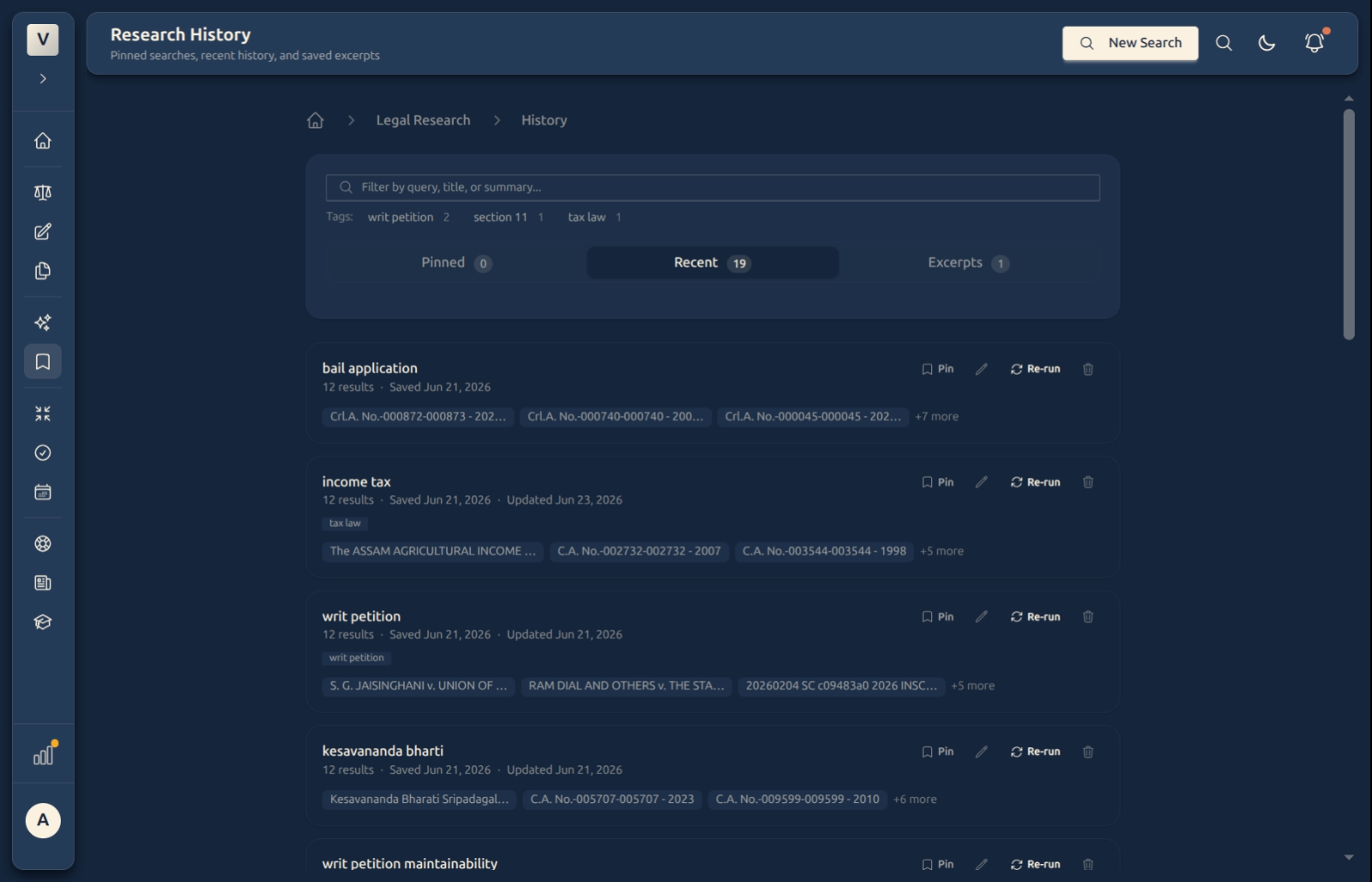
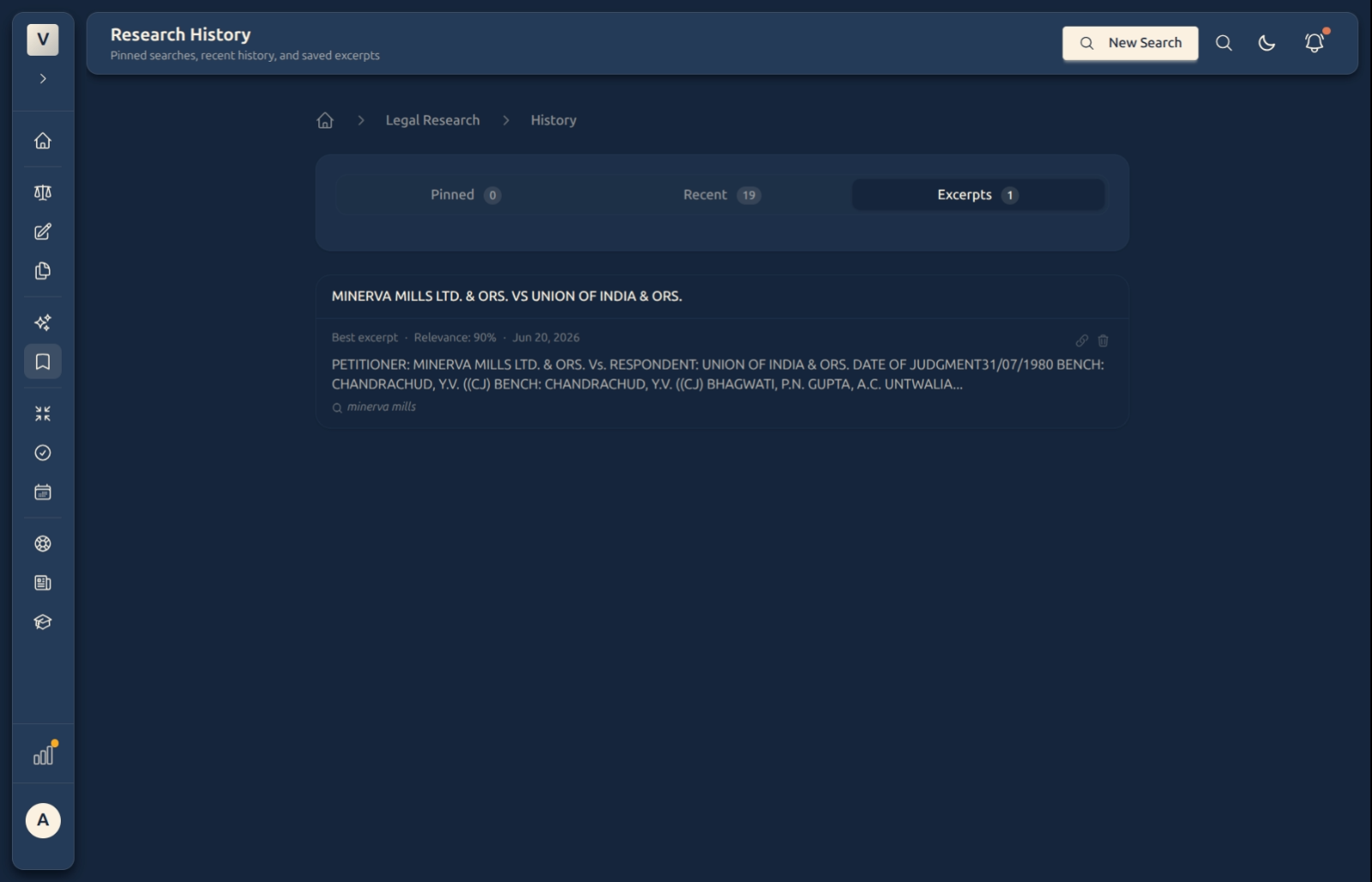
Research History is the memory of your legal research. Every query you run is kept here, so you never lose a useful search. It’s split three ways: Pinned (the searches you’ve starred to keep handy), Recent (your latest queries), and Excerpts (passages you’ve saved straight from a case).
Each saved search remembers its results, so you can re-run it in one click to see if anything new has surfaced — and you can pin, rename, or remove any of them. A filter box and tags help you find the one you want.
Video Walkthrough
How to use it (step by step)
-
Browse your history — The Recent tab lists your latest searches, each showing its query, how many results it found, and when it was saved. The Pinned and Excerpts tabs are one click away, with a count on each.
-
Find one fast — Type in the filter box to match a query, title, or summary, or click a tag (e.g. writ petition, tax law) to narrow the list.
-
Re-run a search — Click Re-run on any saved search to run it again and see the latest results — handy when Meera revisits an issue weeks later.
-
Keep it tidy — Pin the searches you return to often so they sit in the Pinned tab; rename one to something memorable; remove the ones you no longer need.
-
Use your saved excerpts — The Excerpts tab holds passages you saved straight from a judgment, each with its source case and relevance — ready to drop into a draft.
Good to know
💡 Tip: Pin the handful of searches behind a live matter — they’ll stay at the top in the Pinned tab instead of scrolling away among everything else.
Note: A saved search keeps the query, and Re-run fetches results fresh — so the list reflects whatever’s in the library now, not a frozen snapshot.
✅ Nothing is lost. Every search you run is captured automatically, and saved excerpts stay put — so Kabir can always come back to a line he found three weeks ago.
FAQ
Are my searches saved automatically?
Yes — recent searches are captured for you. Pinning is the deliberate step: it promotes a search to the Pinned tab so it’s always to hand.
What does Re-run do?
It runs the saved query again and shows the latest results — useful for checking whether anything new has come up since Priya last looked.
What are Excerpts?
Passages you saved directly from a judgment while reading or searching. Each keeps its source case and relevance score, so they’re ready to cite or paste into a draft.
How do I find one search among many?
Use the filter box (it matches query, title, or summary) or click a tag to narrow the list. Switch tabs between Pinned, Recent, and Excerpts.
Can I remove a search?
Yes — each row has a remove action. Aditi can clear out old or stray queries any time to keep the list clean.
See Also
- AI Legal Research — run the searches that land here.
- Reader — open a saved result to read the full judgment.