Case Activity Tab
The case's audit trail — an automatic, dated log of what's been attached or changed, newest first.
Summary
The Activity tab is the case’s audit trail — a dated log of what has been attached to or changed on the matter, written automatically and shown newest first. It records when documents, files, summaries, transcriptions, and research snippets were linked to the case, and when a diary entry was edited (keeping the earlier text).
Think of it as the order-sheet stamp on a physical file: you don’t write it, the system does — a quiet, trustworthy record of who-touched-what-and-when that you can lean on if the file is ever questioned.
Video Walkthrough
How to use it (step by step)
-
Open the Activity tab — From any case, click Activity in the tab row. You’ll see a dated timeline that builds itself — there’s nothing to fill in.
-
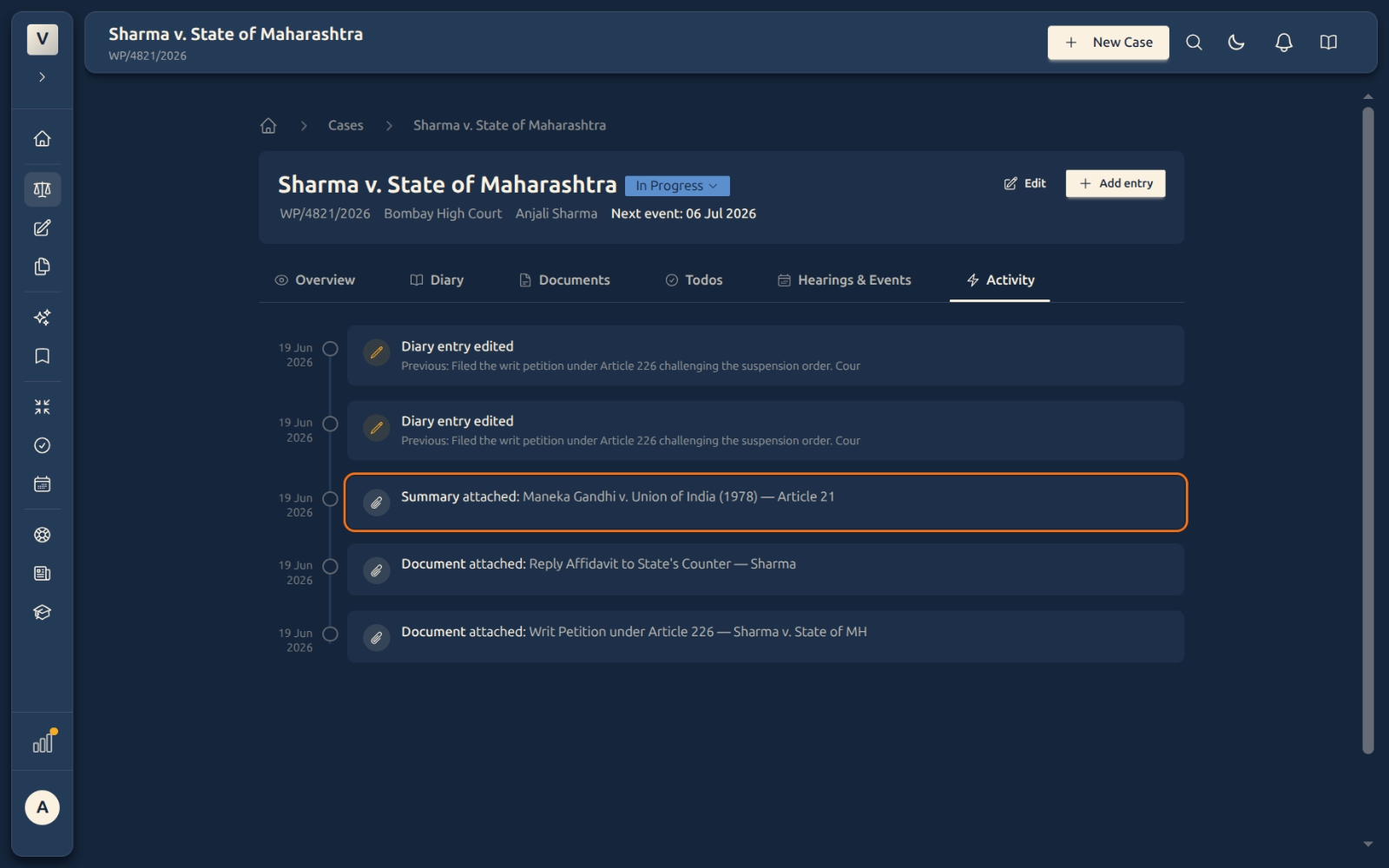
Read an attachment event — A line like Document attached: Writ Petition… (with a paperclip) tells you exactly when a document, file, summary, transcription, or research snippet was linked to this case.
-
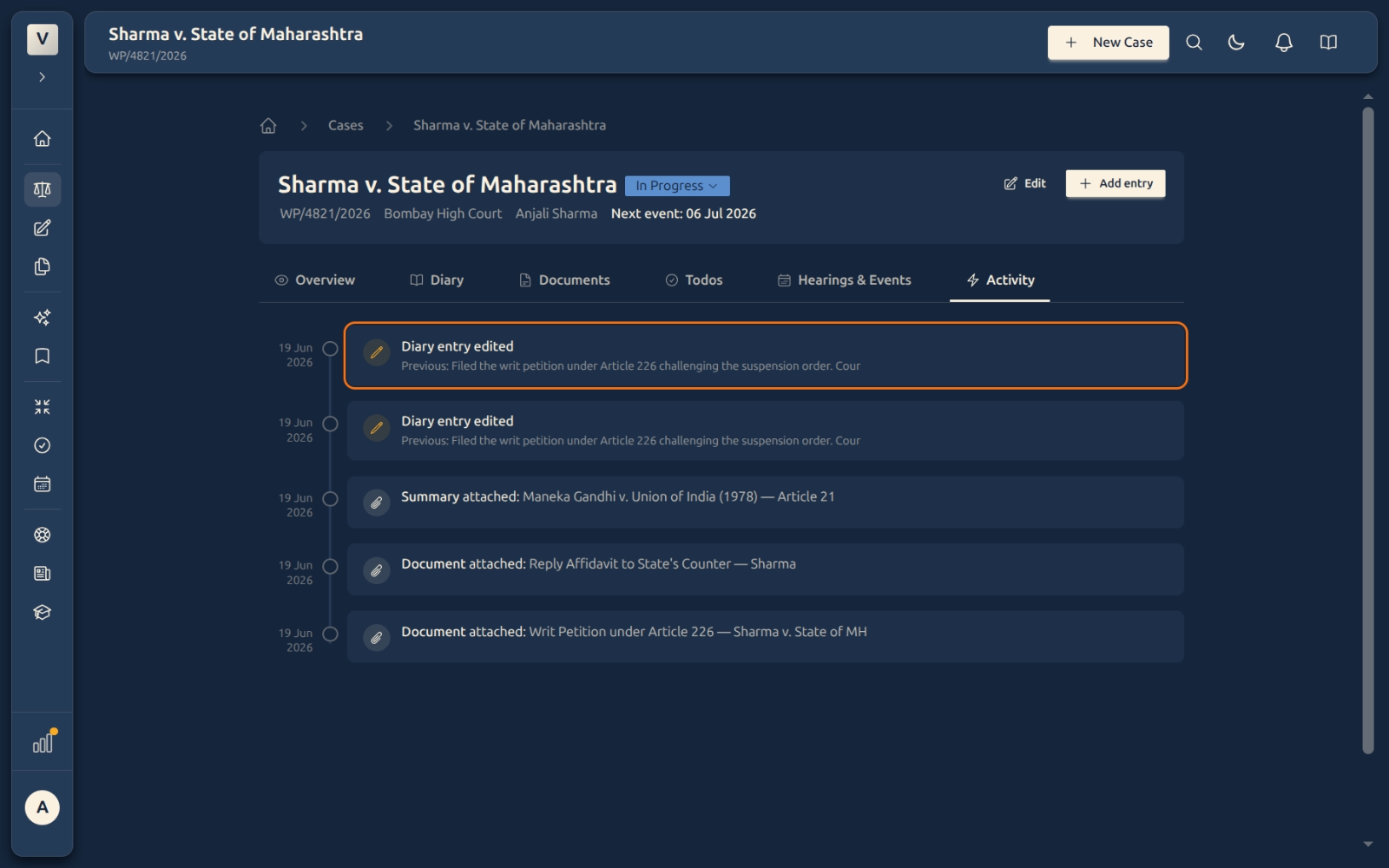
Read an edit event — A line like Diary entry edited — Previous: … (with a pencil) shows that a diary note was changed, and keeps the earlier text right there, so nothing is quietly overwritten.
-
Use it to trace history — Read top to bottom to see how the file was built and changed over time — handy before a hearing, when handing a matter to a colleague, or if anyone asks what happened and when.
Good to know
💡 Tip: You don’t add anything here — the log writes itself every time you attach material or edit a diary entry. That’s what makes it trustworthy: it’s a record, not a notebook.
Note: Activity is read-only on purpose. You can’t edit or delete a line — the whole point of an audit trail is that it can’t be quietly changed after the fact.
⚠️ Important: When a diary entry is edited, the activity log keeps the previous version of the text. So if Priya reworks a note, the original wording is still on record — exactly what you want if the file is ever scrutinised.
✅ Pair it with the Diary. The Diary is your narrative — the dated story you write and that auto-fills. Activity is the system’s own ledger of structural changes (what got attached, what got edited). Together they give Arjun both the story and the receipts.
FAQ
How is this different from the Diary tab?
The Diary is the story of the case — your notes plus content that lands there automatically. Activity is a narrower audit log: just the record of materials being attached and diary entries being edited, with timestamps. One is for reading the matter; the other is for proving what happened to it.
Can I add an entry to the Activity log?
No — it’s automatic and read-only. It fills in on its own whenever you attach a document, file, summary, transcription, or research snippet, or edit a diary entry.
Why does an edit show “Previous: …”?
So diary edits are transparent. Instead of silently replacing the old text, the log preserves the earlier wording — Meera (or anyone reviewing the file) can see exactly what changed.
What actions show up here?
Attaching a document, file, summary, transcription, or research snippet to the case, and editing a diary entry. Each appears with its own icon and the date it happened.
Can I delete something from the Activity tab?
No. An audit trail you could edit wouldn’t be worth much — so the log is fixed. To remove a document from the case, detach it on the Documents tab; the activity record of the original attachment stays as history.
See Also
- Case Diary Tab — the dated narrative of the matter, which you write and which auto-fills.
- Case Documents Tab — where you attach and detach the materials that show up in this log.