Case Diary Tab
The running record of a case — a dated timeline of your notes, hearings, documents, and summaries, newest first.
Summary
The Diary tab is the running record of one case — a single, dated timeline of everything that has happened on the matter, newest first. Your own notes sit here alongside hearings and events, documents you add, transcriptions, and AI summaries, so you never have to piece the story together from memory.
Think of it like the notings in a physical case file: every time something happens, a dated line is added, and the whole history reads top to bottom.
Video Walkthrough
How to use it (step by step)
-
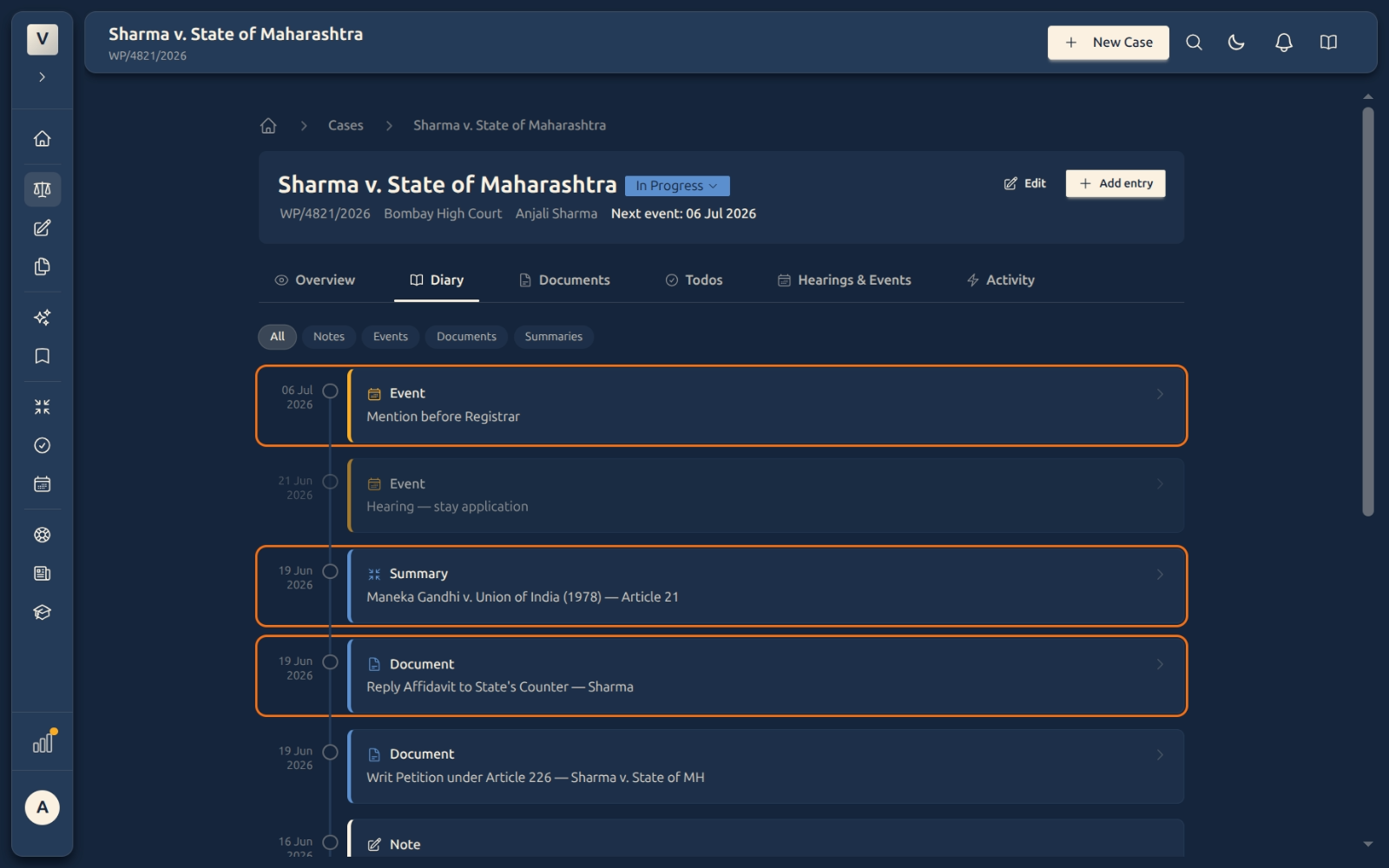
Open the Diary tab — From any case, click Diary in the tab row. You’ll see one timeline of everything on the matter so far — notes, events, documents, and summaries woven together, newest first.
-
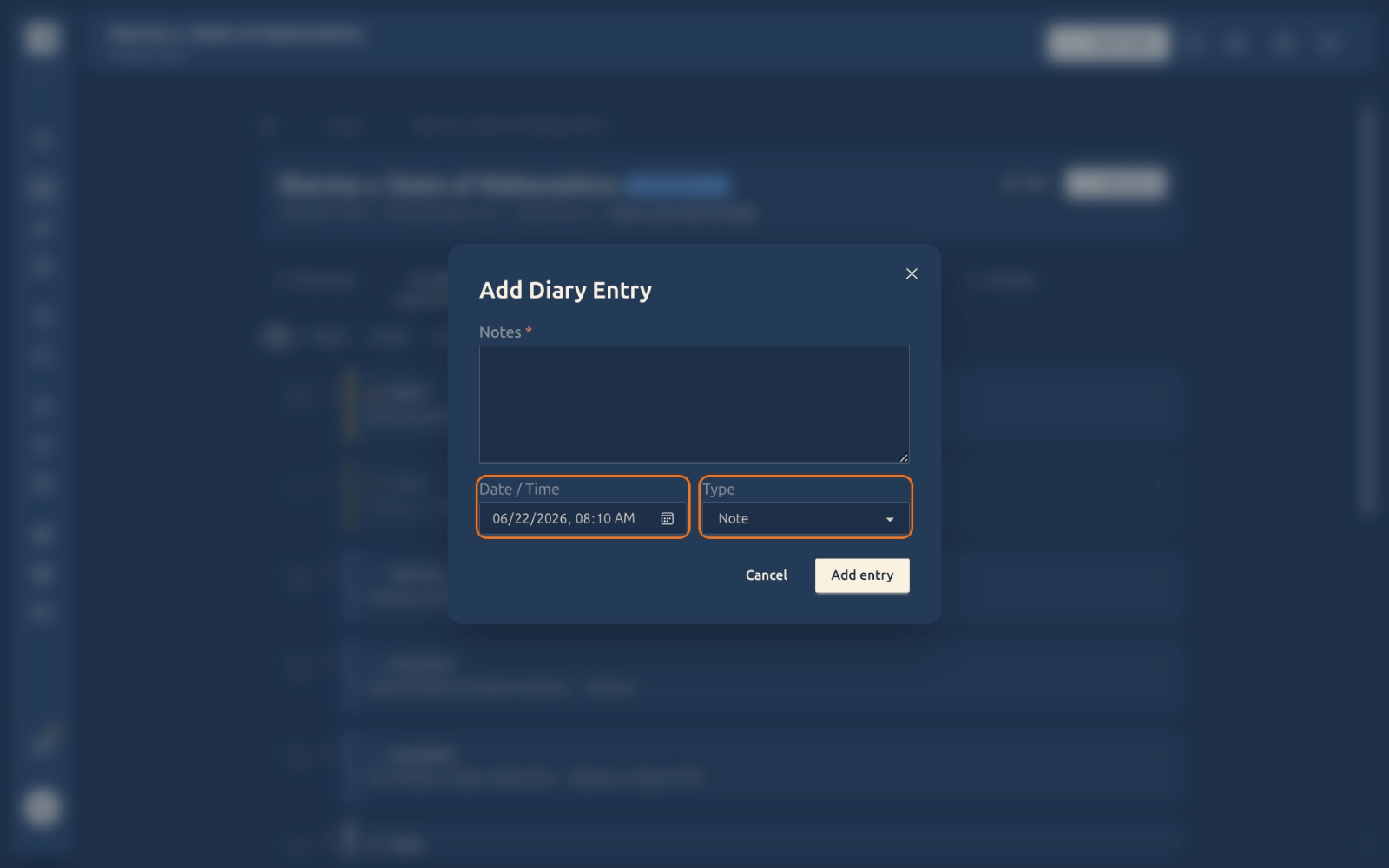
Add an entry — Click Add entry. In the box, write your Notes (what happened), set the Date / Time (it defaults to now, but you can back-date it), and pick a Type — Note, Hearing, Filing, Communication, or Other. Click Save.
-
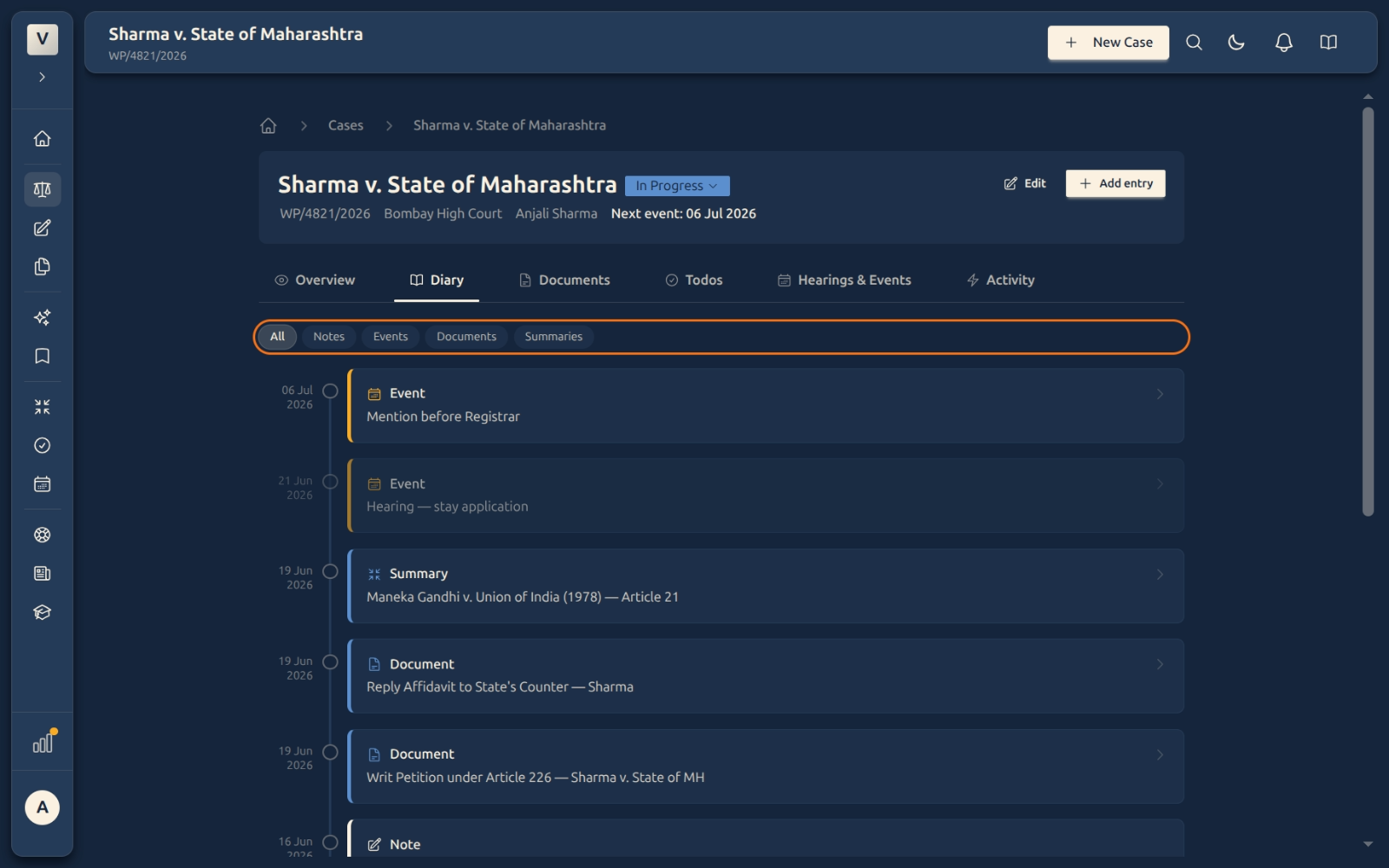
Filter the timeline — Use the pills at the top (All · Notes · Events · Documents · Summaries) to show only one kind of entry.
-
Edit an entry — Open an entry to change it. Your earlier version is kept in an edit history, so nothing is silently overwritten.
-
See older history — Scroll down and click Load more to pull in earlier entries.
Good to know
💡 Tip: You don’t have to log everything by hand. Documents you add, calendar events, transcriptions, and AI summaries land in the diary automatically — your typed notes just fill in the rest.
Note: The Date / Time field lets you back-date an entry. If Priya took a client call on Monday but writes it up on Wednesday, set the date to Monday so the timeline stays true to what actually happened.
⚠️ Important: Editing an entry never erases the original — the previous text is kept in the entry’s edit history. That keeps the case record trustworthy if it’s ever questioned.
✅ Use the Type field well. Marking entries as Hearing, Filing, or Communication (rather than leaving everything as Note) makes the filters far more useful later — for example, showing only the hearings on a long matter.
FAQ
What’s the difference between the Diary and the Overview tab?
Overview is the snapshot — the key facts as they stand today. The Diary is the story — the dated trail of how the case got there. Vikram might glance at Overview before a call, but read the Diary to brief a colleague.
Do I have to add documents and events to the diary myself?
No. When you upload a document, add a hearing, or generate a summary, it appears in the diary on its own. You only type entries for things that happen off-platform, like a phone call or a client meeting.
Can I record something that happened last week?
Yes — when adding an entry, set the Date / Time to when it actually happened. The timeline orders entries by that date, not by when you typed them.
I made a mistake in an entry and fixed it. Is the old version gone?
No. Every edit is kept in the entry’s edit history, so you (or anyone reviewing the file) can see exactly what changed and when.
Why would I change the Type of an entry?
The Type drives the filters. If Meera tags her court appearances as Hearing, she can later filter the diary to just hearings and read the case’s day-in-court history in seconds.